How to Generate AI Images: A Practical Guide (2026)
Use Framedance's AI Generator from creative brief and model selection through prompts, references, quality review, and targeted revision.
From image brief to approved asset
Define the visual goal, start with a small batch, and refine one instruction at a time after inspecting the result.
- 1Write a brief covering subject, setting, lighting, composition and intended use.
- 2Choose a model and only the reference inputs and output settings it supports.
- 3Check the displayed cost and generate a small first batch.
- 4Inspect subject fidelity, text, materials, edges and crop.
- 5Change one instruction or setting, compare again, and keep the approved asset as a reference.
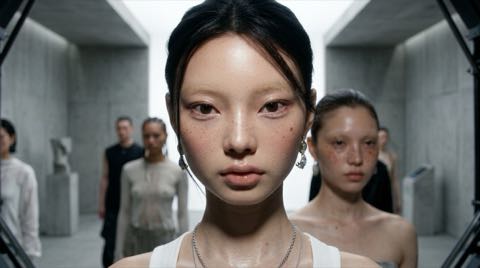
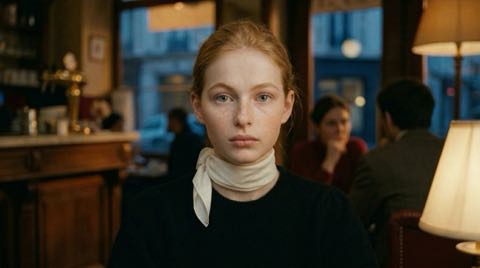
AI image generation turns a text prompt and optional references into images. Framedance's AI Generator exposes multiple text-to-image and image-editing models in one interface; accepted inputs, seed behavior, count, dimensions, and reference support depend on the current model form. Generation consumes credits, so review the displayed parameters and estimate before submitting.
TL;DR
One interface, many top models — pick the right model per job instead of committing to a single provider.
Supports both text-to-image and image-to-image with reference input.
Seeds and the 'use as reference' button let you reproduce and iterate on results instead of gambling on every run.
Batch generation plus an on-page history make comparing variations painless.
The multi-model workspace lets each project use a currently available model and its parameters. Costs, input limits, and output capabilities vary by model, and content rules apply to every run.
What can you make with an AI image generator?
Useful tasks include social images, thumbnails, concept art, product-scene drafts, character sheets, and mood boards. Batch output and history help compare directions, but every candidate still needs checks for product facts, character continuity, typography, hands, composition, and source rights.
Image-to-image widens this further: sketch a rough layout, feed it in as a reference, and let the model handle the rendering. And since results chain into Framedance's other tools — a generated portrait can become a face swap source or the first frame of a video — the generator often sits at the start of a much longer pipeline.
How do you generate an AI image step by step?
- Open Framedance's AI Generator and sign in.
- Pick a model. Each card shows what it is good at and an approximate dollar price per image.
- Write your prompt, or start from a prompt preset and edit it.
- Optionally add a reference image to guide composition or style (image-to-image).
- Set the batch count to generate several variations in one run.
- Hit generate — results land in the history alongside all your previous runs.
- Found a keeper? Reuse its seed for controlled variations, or click 'use as reference' to feed it into the next generation.
How do you write a good image prompt?
A reliable prompt names four things: the subject, the style, the lighting, and the composition. 'A woman in a city' is a coin flip; 'portrait of a silver-haired woman on a neon-lit street at night, cinematic lighting, shallow depth of field' is a brief the model can actually execute.
Iterate in small steps. Change one element at a time — the lighting, then the lens, then the mood — and keep the seed fixed so you can see exactly what each change did. Framedance's prompt presets are useful starting points when you are staring at a blank box.
Portrait of a silver-haired woman standing on a neon-lit street
in the rain, reflective wet asphalt, cyberpunk city at night,
cinematic lighting, shallow depth of field, 85mm lens,
photorealistic, ultra-detailed skin texture
How much does AI image generation cost?
Image generation consumes credits according to the selected model, count, dimensions, quality tier, and other billable parameters. Use the current estimate shown before submission.
The per-image credit price varies by model, and every model card shows an approximate '$X per image' figure. Batching several variations multiplies the cost accordingly, so a sensible habit is to draft with a cheaper model while exploring, then switch to a flagship model for the final render.
Validate composition and prompt behavior with a small candidate set before increasing count or quality. Model behavior and cost can change, so do not treat one run as a permanent benchmark.
How do you keep characters and styles consistent?
Seeds are your first tool: the same seed with the same prompt reproduces the result, so fixing the seed and nudging the prompt gives you variations of the same image rather than a completely new roll.
Reference images are the second: feed a finished result back in with 'use as reference' and it carries the character's look, outfit, or overall style into the next scene. This chaining workflow is the most practical way to keep one character consistent across many images.
Finally, prompt presets can lock in a style vocabulary. When producing a series, keep the style half of a winning prompt as your template and start every image from the same words.
Can you generate images through the API?
Yes. Create a key at /api-keys, read the current parameters for the intended model, submit through the run route below, and poll the task_uuid to a terminal state.
Before integrating, read the live parameter schema and validate the request and output with one small job. Version prompts as configuration rather than permanently hard-coding one accidental success.
curl -X POST "https://www.framedance.ai/api/v1/marketplace/run/<model_id>" \
  -H "Authorization: Bearer YOUR_API_KEY" \
  -H "Content-Type: application/json" \
  -d '{
    "input": {
      "prompt": "portrait of a silver-haired woman on a neon-lit street, cinematic lighting",
      "seed": 42
    }
  }'

# Poll until the task completes
curl "https://www.framedance.ai/api/v1/marketplace/run/tasks/<task_uuid>" \
  -H "Authorization: Bearer YOUR_API_KEY"
Practice: build one product scene deliberately
Use this exercise brief: “A matte black travel mug on a pale stone counter in a bright neighborhood cafe, soft window light from the left, eye-level product photograph, 4:5 vertical crop, clean background, label area facing camera, realistic ceramic and metal textures.” Treat it as an instructional prompt, not as the recorded input for any example image. Add a reference only if the selected model supports it and you have permission to use it.
Select a model and supported output size, then note the displayed cost before making a small first batch. Keep the subject, setting, lighting, camera position, and crop fixed. If the model exposes other controls, use only those shown for that model. Compare models on the same brief if needed; model names alone do not predict instruction following or material rendering.
Review the asset and isolate each revision
Accept a result only when the mug shape and handle are coherent, the label area faces the camera without invented lettering, contact shadows place the mug on the counter, materials respond plausibly to the window light, and the 4:5 crop leaves usable space without cutting the product. Zoom in for duplicate edges, warped reflections, unreadable text, floating objects, and inconsistent perspective. A pleasing thumbnail is not enough for publication.
If composition is wrong, revise only camera position or crop language. If the material looks plastic, strengthen the ceramic and brushed-metal description without changing the scene. If lettering is corrupt, request a blank label area and add approved typography later in a design tool. If subject identity drifts across variations, reuse the best approved image as a reference where supported, but do not assume it guarantees consistency. Generate another small batch only after choosing the single change worth paying to test.
常见问题
How is AI image generation billed?+
Cost depends on the current model and parameters, including count, dimensions, and quality tier. Review the displayed credit estimate before submitting.
Do generated images have a watermark?+
Downloads are normally delivered without a Framedance watermark. Inspect outputs and follow platform and local requirements for labeling generated media.
Can I use AI-generated images commercially?+
Yes, you can use the images you generate in commercial projects. The thing to watch is the input side: if you used a reference image, make sure you hold the rights to it.
What content rules apply to AI image generation?+
Pornographic content, sexualized content involving minors, unauthorized use of real people, impersonation, fraud, false endorsements, and identity-verification bypass are prohibited. Lawful, consensual, non-explicit adult themes may be permitted, subject to local law and the Terms of Service.
What resolution can I generate at?+
It depends on the model you pick — different models support different sizes and option tiers. Each model card lists its available options alongside the price, so check both when choosing.